 Crumpl

Smaller PDFs,
entirely on your device.
Most PDF compressors are websites. You hand over the file, a server somewhere does the work, and you take it on faith that your contract or your medical record was deleted afterwards. Crumpl never uploads anything.
iPhone · iPad · Mac
It has no network permission. Not restricted — absent.
Crumpl requests no networking entitlement and opens no connections. It could not send your files anywhere even if it were programmed to. That is enforced by the operating system's sandbox, not by a promise on a web page.
Its App Store privacy label reads Data Not Collected, and that is the whole truth rather than a technicality.
- No analytics or telemetry
- No crash reporting
- No accounts or sign-in
- No advertising identifier
- No subscription
- No network requests of any kind
It looks inside the file before it touches it.
A scanned page, a photo spread, and a page of text all waste space in different ways, so Crumpl treats them differently. Oversized images are downsampled and re-encoded, duplicate images are stored once, and the structural fat every PDF accumulates — unused objects, stale metadata, bloated cross-reference tables — is stripped out.
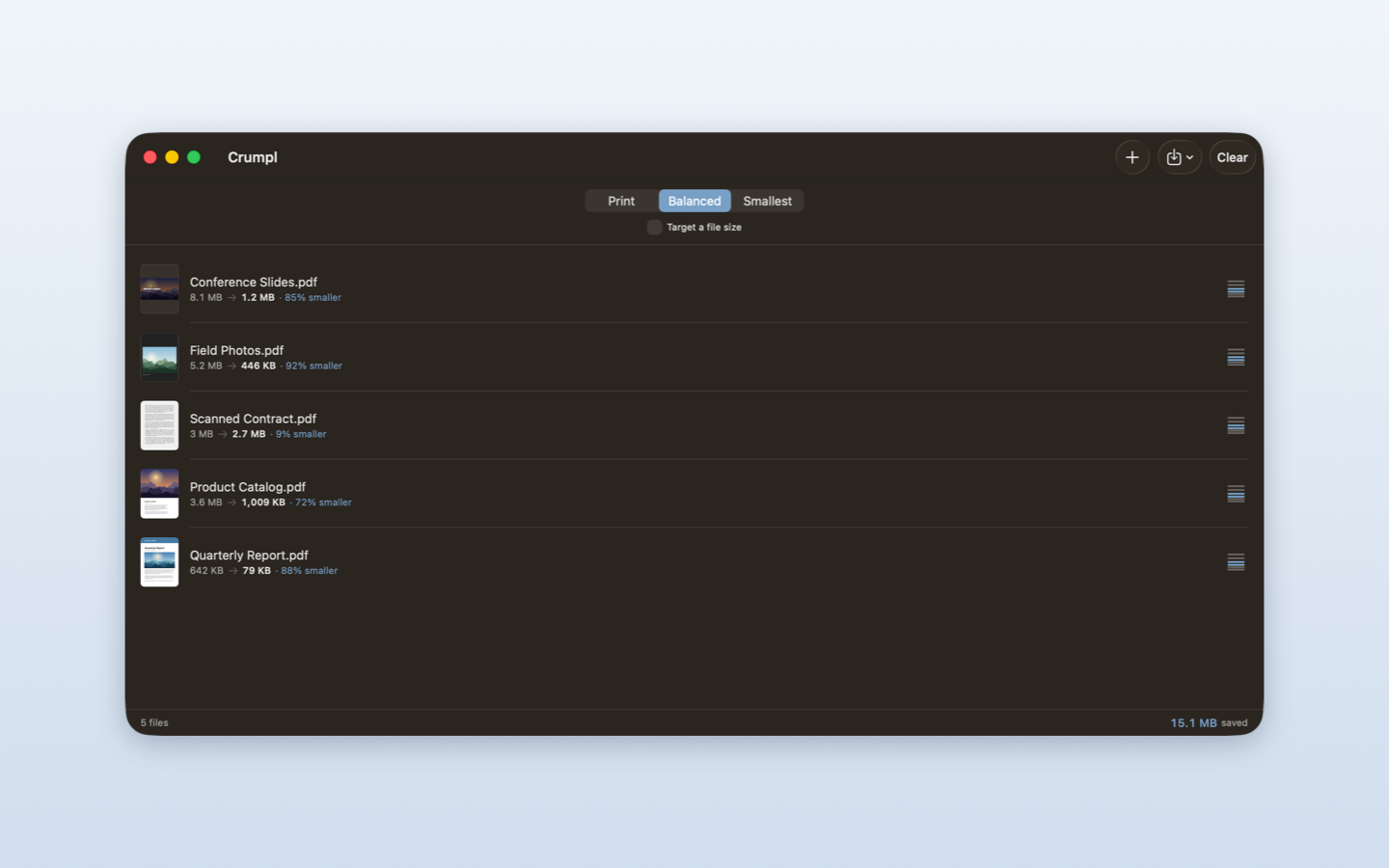
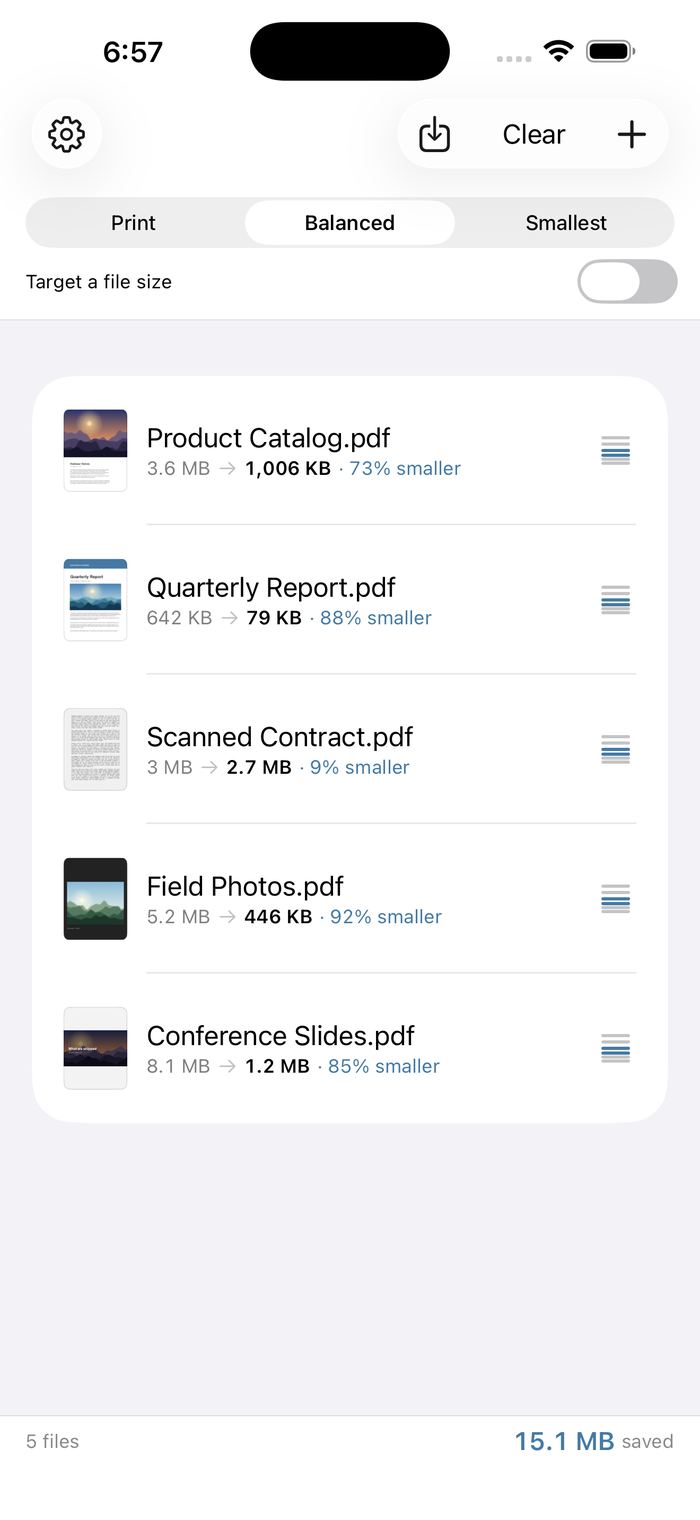
Typical results run between 40% and 90% smaller. Scanned documents and photo-heavy files have the most to give back.
High fidelity
For anything you will actually put on paper.
The default
The right answer nearly always, and where most files should stay.
For upload limits
Email attachments and portals that cap you at a few megabytes.
Target an exact size
Ask for 5 MB and Crumpl searches for the settings that land just under it, instead of making you guess at a quality slider.
It checks its own work.
Every result is verified before you ever see it. If compression would have damaged the document, Crumpl hands you the original back and says so.
- The output file reopens cleanly
- The page count matches the input, exactly
- Page one renders non-blank
- The text layer survives — extracted text within 2% of the original
- Anything failing those checks is discarded and the original is returned
If a file is already as small as it can safely go, Crumpl tells you that too, rather than shipping you a copy that is somehow larger.
Batch a folder. Watch the total.
Nothing is overwritten unless you ask — saving a copy is the default.
Everywhere you already work.
Share sheet
Compress from any app that can share a PDF, without opening Crumpl at all.
Finder Quick Action
Right-click a PDF › Quick Actions › Compress PDF. Or drag files straight onto the window.
Shortcuts
A Shortcuts action, so you can build compression into your own automations.
Batch
A whole folder at once, with a running total of what you saved.